Mac · iPhone · iPad

Plan on Kanban. Execute Today. Focus with Warm-Up.

Ordi unifies a zero-friction Inbox, personal Kanban boards, a calm Today planner, and a 5-minute Warm-Up Pomodoro timer in one native Apple app — with zero accounts and private iCloud sync.

  • No Account Required
  • Free Private iCloud Sync
  • Zero Ads & Tracking
  • One-Time Lifetime Option
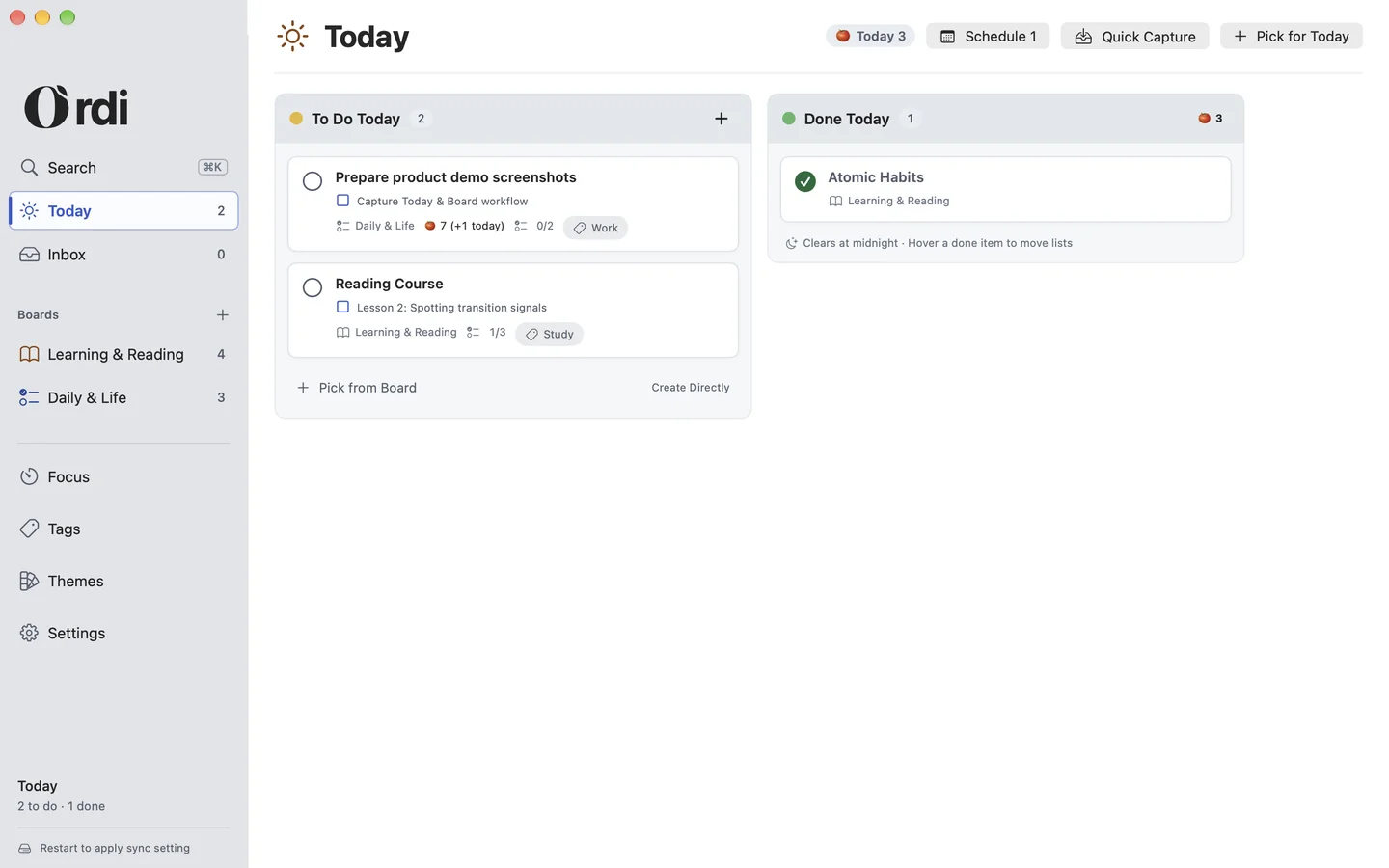
Ordi macOS Today workspace showing scheduled priorities and focus summary
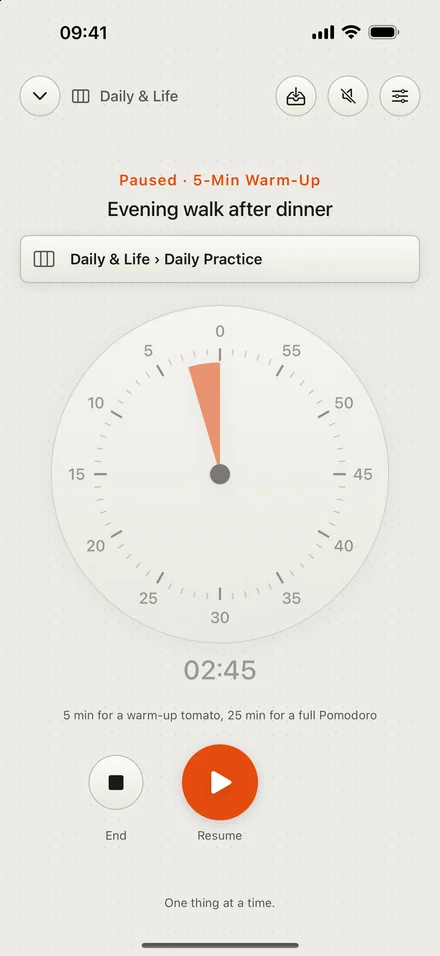
Ordi iPhone Focus timer showing 5-minute warm-up and 25-minute Pomodoro
One Calm Rhythm

Inbox · Boards · Today · Focus

Stop juggling a to-do list, a heavyweight team board, and a separate Pomodoro app. Every task flows naturally from capture to completion.

Personal Kanban

Visual boards built for solo makers, not enterprise bureaucracy

Organize projects into clean columns, drag cards effortlessly, attach subtasks and rich link previews, and pull only what matters into Today.

  • Drag-and-drop columns with WIP clarity and progress rings
  • Pin key cards directly into your Today plan without losing board context
  • Fast keyboard navigation and Spotlight search across Mac, iPhone, and iPad
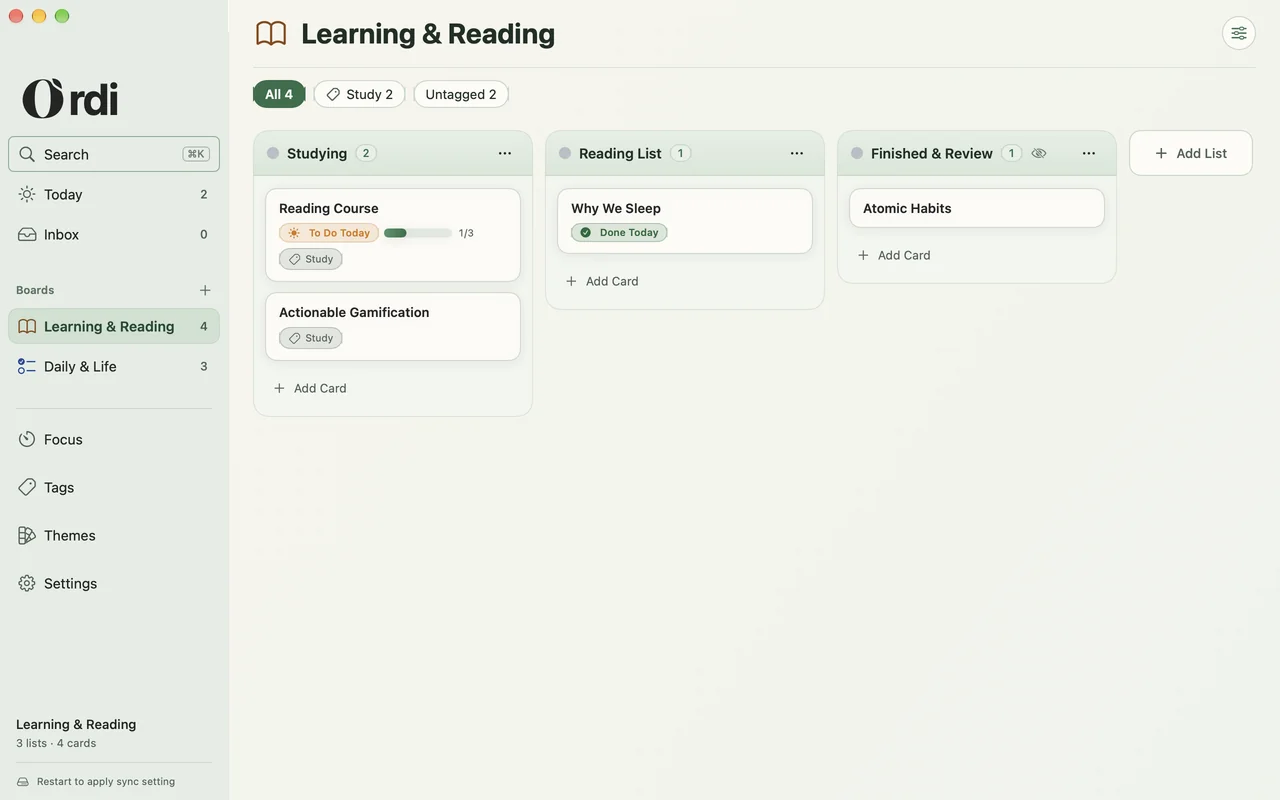
Ordi personal Kanban board view on macOS with project columns and task cards
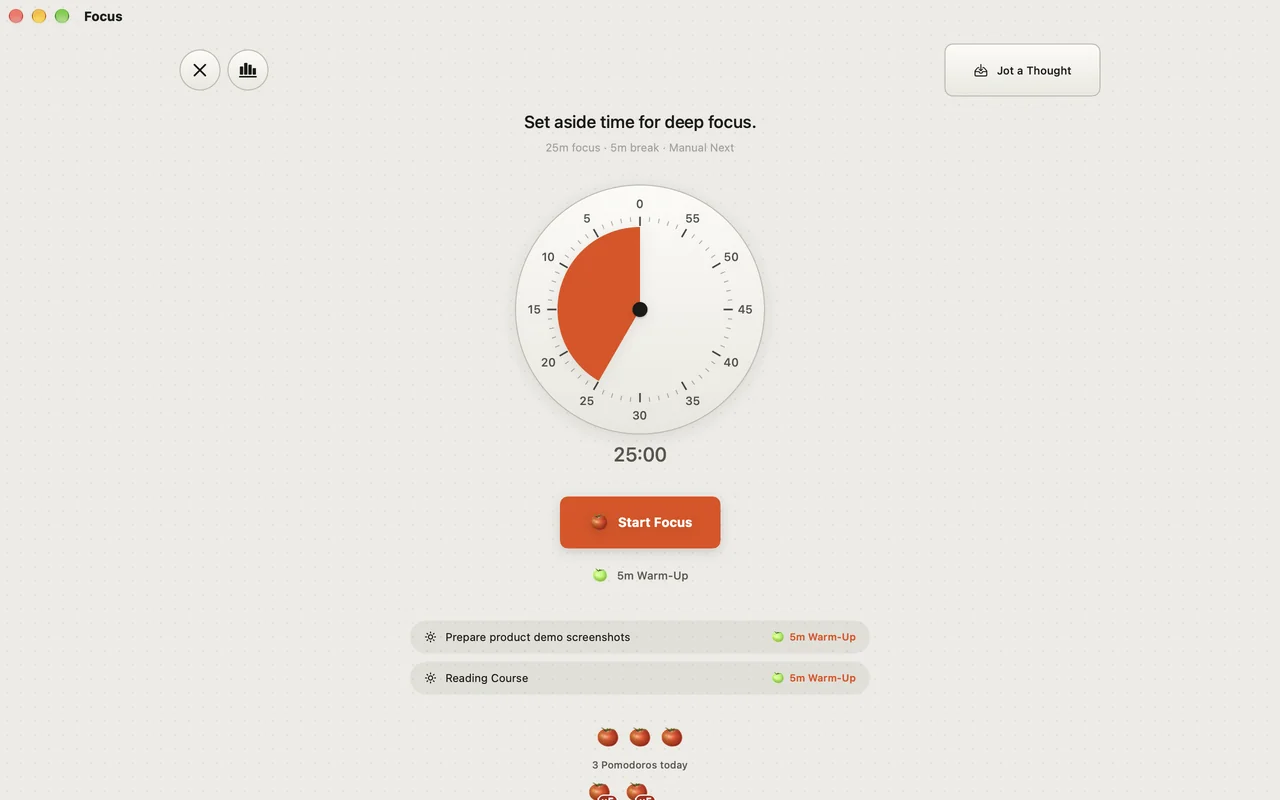
5-Minute Warm-Up Focus

Beat procrastination before the 25-minute Pomodoro even begins

Starting is the hardest part. Tap a 5-minute Green Tomato warm-up to lower friction, then glide straight into a full 25-minute Red Pomodoro session.

  • Dynamic Island & Lock Screen Live Activities on iPhone
  • Always-visible Mac Menu Bar timer and subtle completion chimes
  • Automatic focus history linked to the exact task and board you worked on
Ordi Focus timer view on macOS with 5-minute warm-up and 25-minute Pomodoro controls
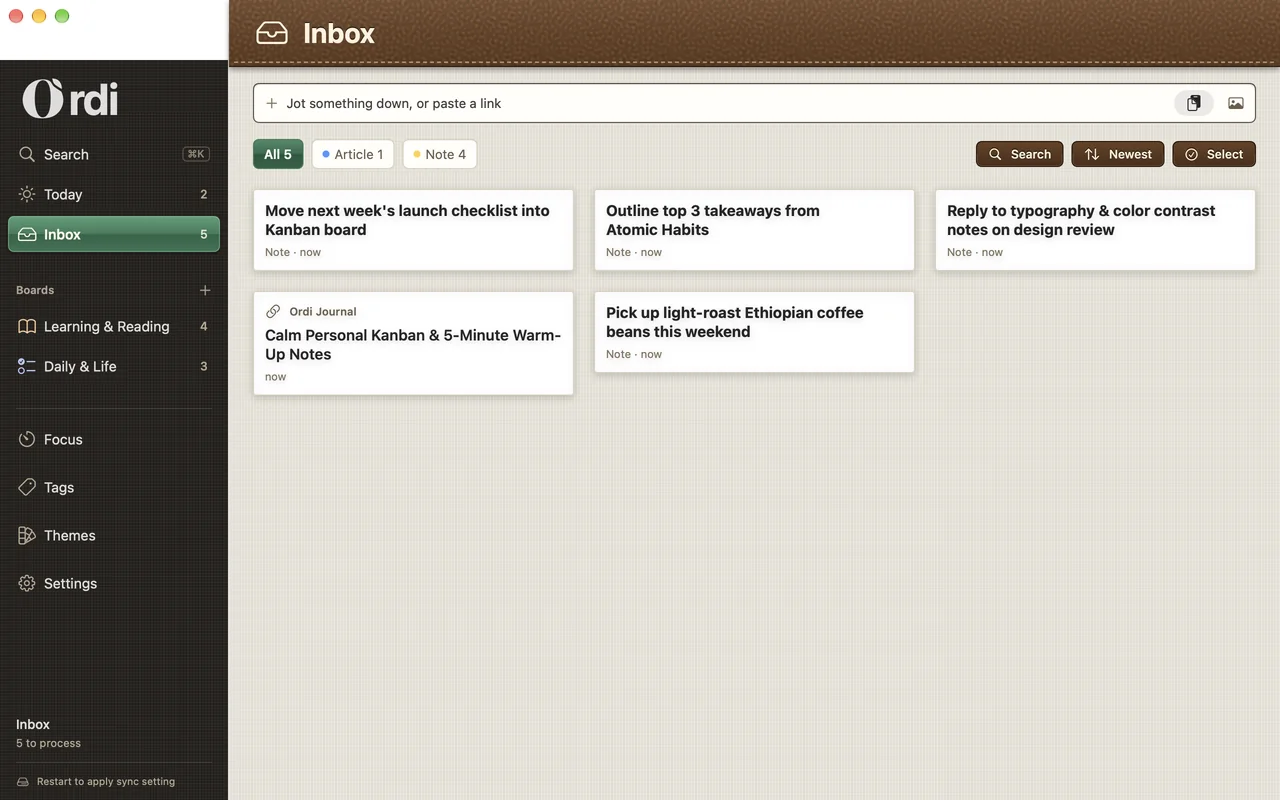
Zero-Friction Inbox

Capture links, notes, and stray thoughts in one second

Send articles from Safari via Share Sheet, drop tasks via 27 Apple Shortcuts, or sync effortlessly with Apple Reminders — then triage when you are ready.

  • Share Sheet extension with automatic rich web link previews
  • Two-way optional sync with Apple Reminders via EventKit
  • 27 built-in App Intents & Shortcuts for Siri, Spotlight, and Action Button
Ordi Inbox view on macOS showing quick capture and triage controls
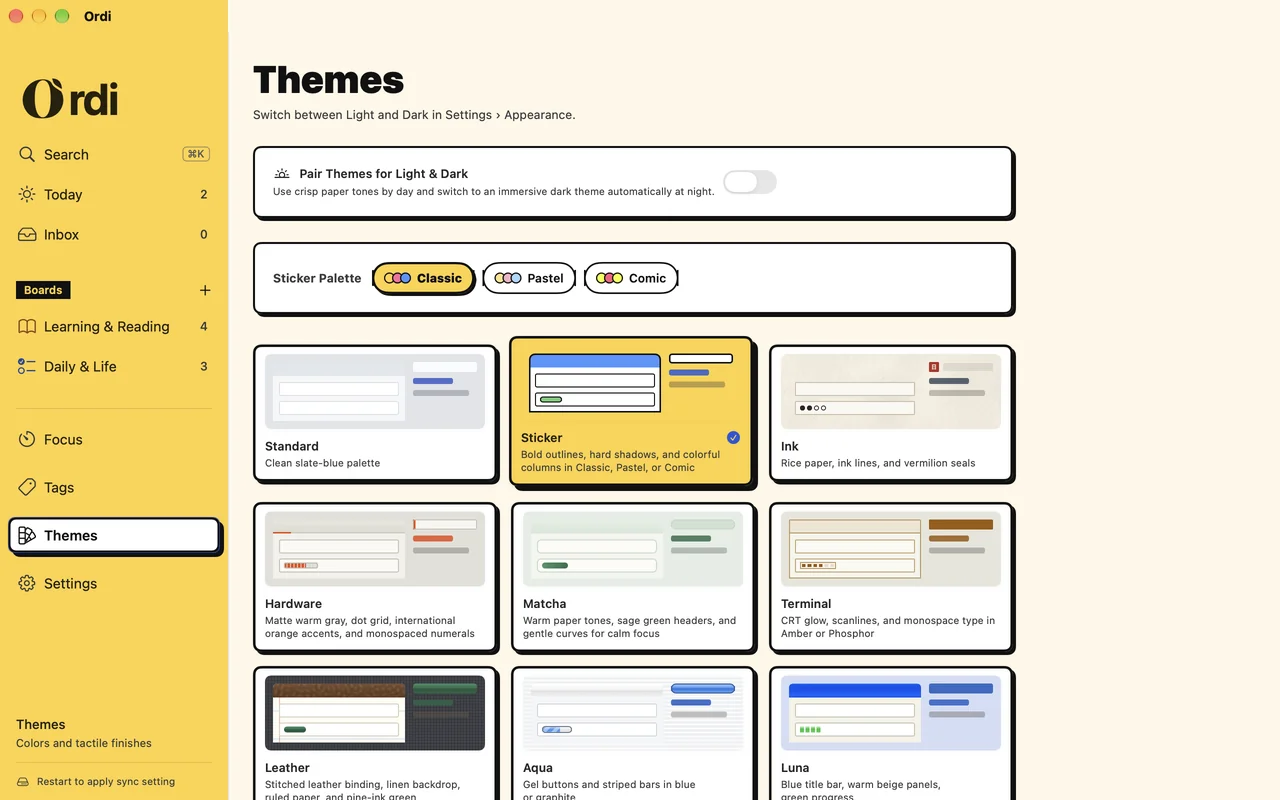
Tactile Craftsmanship

9 handcrafted themes with matching app icons and micro-sounds

Every theme reimagines typography, surfaces, cards, custom icons, and optional tactile micro-sounds — from quiet Nordic paper to Braun hardware and green-phosphor Terminal.

  • Instant theme switching across macOS, iOS, and iPadOS
  • Matching interactive Home Screen & Desktop Widgets for every theme
  • Automatic system Light & Dark appearance with crisp contrast
Ordi theme gallery showcasing handcrafted visual themes and custom icons
9 Handcrafted Worlds

Switch the mood of your workspace in one tap

Select a theme below to preview its palette, card feel, and dedicated app icon.

Standard
Standard Crisp Nordic clarity with balanced contrast for everyday planning.
100% Native Apple

Deeply integrated with macOS, iOS & iPadOS

Written in pure SwiftUI and SwiftData — fast launch, tiny footprint, offline-first, and built for the Apple ecosystem.

Private iCloud Sync

Your boards, tasks, and focus logs stay in sync across Mac, iPhone, and iPad via your own Apple iCloud — free forever.

Live Activities & Menu Bar

Watch your Warm-Up or Pomodoro countdown on Dynamic Island, Lock Screen, and the Mac Menu Bar.

Interactive Widgets

Complete Today tasks or launch a focus timer directly from your Home Screen, Lock Screen, or macOS Desktop.

27 Shortcuts & Siri

Automate morning reviews, capture tasks from Action Button, or query Today via Apple Shortcuts and Spotlight.

Apple Reminders Sync

Optionally import or keep tasks in sync with Apple Reminders without locking yourself into a walled garden.

Open JSON & Markdown

Your data belongs to you. Export full JSON backups or clean Markdown anytime — no paywall, no lock-in.

Fair, Transparent Pricing

Start free forever. Upgrade only if you want more.

One universal purchase works across Mac, iPhone, and iPad — and includes Apple Family Sharing.

Free Forever

Ordi Core

$0

No account, no trial countdown, no ads.

  • Inbox, Today planner & Focus timer (5m Warm-Up + 25m)
  • Up to 3 active Kanban boards
  • Free private iCloud sync across all your Apple devices
  • Interactive Today widget, Shortcuts & Reminders sync
  • Full JSON backup & Markdown export anytime
Download Free
Questions & Answers

Everything you need to know

Do I need to create an account to use Ordi?

No. Ordi works out of the box with zero sign-up, zero login walls, and zero developer servers. Everything is stored locally on your device and optionally synced through your private Apple iCloud account.

How does the 5-minute Warm-Up Focus timer work?

When a big task feels intimidating, start a 5-minute Green Tomato warm-up. Most procrastination disappears once you begin — when the 5 minutes finish, Ordi smoothly transitions into a standard 25-minute Red Pomodoro session.

Does one Ordi Pro purchase cover Mac, iPhone, and iPad?

Yes. Ordi is a universal Apple app. Whether you choose Monthly ($2.99), Yearly ($19.99 with 7-day free trial), or Lifetime ($49.99), your unlock automatically applies to Mac, iPhone, and iPad and supports Apple Family Sharing.

Is private iCloud sync free or locked behind a subscription?

iCloud sync is completely free for everyone, forever. So are full JSON backups and Markdown exports.

Does Ordi collect analytics, crash logs, or tracking data?

No. Ordi includes zero third-party analytics SDKs, zero ad networks, and zero tracking pixels. Read our full Privacy Policy for exact technical details.

What devices and OS versions are supported?

Ordi runs natively on macOS 15 Sequoia or later, iOS 18 or later, and iPadOS 18 or later.

Bring calm order to your next project.

Download Ordi for Mac, iPhone, and iPad — free to start, no account required.

Get Ordi on the App Store